Showing posts with label glitch. Show all posts

New Pandanda Furniture!


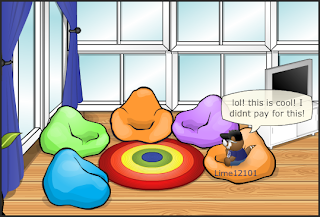
Pandanda recently updated with a bunch of new furniture for your treehouse, lol but it kind of looks like they weren't ready to update it yet xP

To see the new furniture, Go to your treehouse.


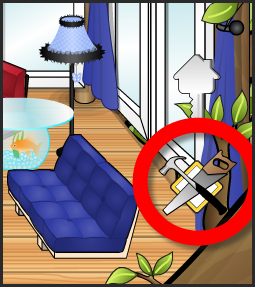
Click on The Saw and Hammer icon in the bottom right corner of your treehouse.


Then Click on the "House&Tree" Catalog.


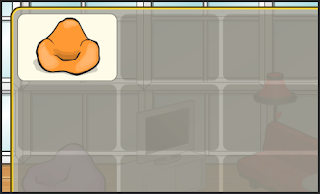
Here is the pictures from the catalog: (Thanks Penguitt from Pandanda Shack :3)


As you can see, there is a bunch of glitches Pandanda needs to work out, most of the color choices display as red, and are not available (ONLY IN GOOGLE CHROME ARE THEY ALL RED, IN OTHER BROWSERS THEY SHOW DIFFERENT COLORS! :D Thanks @LisianaPD) Along with that, there is an old Zing item in the catalog - the light ball thing xD. The price of it displays as -1, but instead of buying it in exchange for coins it GIVES you a coin if you buy it.


Lol xD Pretty neat glitch, Pandanda. Just buy a bunch of these lights and you have yourself a lot of coins. Pandanda will probably fix it in a few hours though, so go quickly :3

-Lime12101

Thanksgiving Week Begins on Pandanda!


Hey Pandas,

Happy Thanksgiving to all of you american pandas out there xP In celebration of the event, a bunch of decorations have appeared all over Pandanda!


There is also new Thanksgiving items at the Clothing Co, including a turkey leg, and a pilgrim hat xP


Also, Pandanda will probably fix this by the time you are reading this post xP But there is a little glitch with Tammy on the East Market Street, hehe:


So to all the American pandas out there, have a happy thanksgiving week! ^.^

-Lime12101

Zing Ballyhoo Prize #46 Glitch!?!


Hey Pandas,

Zing Ballyhoo was supposed to realese his 46th prize today, however, it seems that Pandanda must of forgot to make a prize, or just a really awkward glitch =/

Basically, As you click on Zing to collect your prize, the whole screen turns to a transparent-grey-ish color, and you can't click anywhere at all, here is a video I recorded:


Hmm, Lets hope Pandanda fixes this glitch really soon! I want to know what the prize is!! :P

-Lime12101

Zing Ballyhoo Tent half-Invisible Glitch!


As you guys know, Zing Ballyhoo left Pandanda Land on Monday. His tent stayed for a few days after, and then got removed.


When its bright out on Pandanda, The tent doesnt show. However, during night time the tent's shadow shows.


You can still walk over the tent thought. :P

Pretty cool, huh? Thanks to Ggutev for telling us about this! :D

-Lime12101

Summer Festival Necklace Turns Into A Camera Glitch!


THIS GLITCH HAS BEEN FIXED!!! IT DOES NOT WORK ANYMORE!!!


Hey everyone! It looks like our Pandanda Land is full of weird and wicked glitches lately right? This morning, I went on Pandanda and put on the Necklace that you could trade for 25 pineapples at the Summer Festival, and then opened my playercard; and look what I noticed:


Ok, So follow these steps and you should have it to show off to your friends!

1. Open your backpack and put on the Summer Festival Necklace on.


2. Close your backpace. Now, go to your Panda profile;


Its as easy as that! Other pandas can see the camera too xP

So I guess this is a mistake on Pandanda's part? Maybe the camera is an upcoming item thats going to be sold? Or Maybe its some freaky glitch?

So try out the glitch, before it gets fixed by the Pandanda Team! :P

Also, if you want to post this on your site, make sure to give credit to BetaOmer and this site!

So, What do you think of the glitch? Tell us in your comments!!

-BetaOmer & Lime12101

*FIXED* Changing Color Floaty Tube Ultimate Glitch!!


THIS GLITCH HAS BEEN FIXED!! IT NO LONGER WORKS ON PANDANDA!!!

Zing Ballyhoo returned on Monday, with a new prize "The Blue Floaty Tube". Here we have an ultimate glitch on how you can change the color of your floaty tube! Like this:


Ok, So follow these steps and you should have it to show off to your friends ;-)

How to have the same Panda Color, and Tube Color:

This is the simpler version of the glitch, and is very easy to do. Check it out:

1. Sit on the far right side of a room facing to a corner, (SE, or SW), with your backpack open.


2. Click a color in your backpack, that you want both your panda and tube to be.


3. Click the Animations button on your bottom bar, while your backpack panel is still open.


4. Exit out of the animations tab.


And there you have it, as long as your panda is facing that direction, you will have your tube, and your panda the same color!!! Wicked, right?


How to have your Panda, and tube, 2 different colors:

1. Sit on the far right side of a room facing to a corner, (SE, or SW), with your backpack open.


2. Click the color you want your TUBE to be.


3. With your backpack still open, click on the animations button on your bottom Bar.


4. Sit on the OPPOSITE side that your are current sitting in.


5. Open up the backpack again, and choose the color you want your PANDA to be.


6. With your backpack still open, click the Animations button on your bottom bar again.


7. Click the Opposite side again, or the side you were sitting in to start.


Now you will have a whole new tube color all together!! :D Awesome, right?


Other Pandas can see the tube color too, but only if they were in the room while you were changing.

If you have anymore questions, or it isnt working fully for you, comment below and we will try to answer all your questions! :D

And also Comment on your feedback, if you like this glitch or not, we love to hear your opinions!

Oh and, If you want to post this on your site, make sure to give credit to me, Lime12101, and a link to this site, k? :P

-Lime12101

Pandanda Frozen Glitch


Update : Glitch has been fixed

Update : You can also unfreeze yourself by using a potion. And you will also unfreeze if you go back to Misty Hills and play Ghost Hunt. (Thanks kiwinator and Lulu for the info)


If you wander around Pandanda you might see some pandas in rooms other than Misty Hills that are frozen. This is how you too can do this :-
  • Go to Misty Hills
  • Play Ghost Hunt and get frozen

  • Then quickly click on your map and go to a different location


When you get there your panda will still be frozen and unable to move. But you will be able to chat while being frozen and your panda will not get unfrozen untill you log of. This is my panda frozen :P :-


If you happen to stumble accross some other glitch please feel free to comment on PDC and inform us about it.

- AltoBhai, Pandanda Cheats ™ Vice President -

Membership Reminder and Golden tickets still remain!


When ever you log into Pandanda the following message will pop up :-


Its a reminder of the Beta Elite Membership discount. To learn more about Membership and the Beta Membership descount CLICK HERE. I think this message will be removed when Beta ends this fall.

In Other News Zing Ballyhoo has left Pandanda to collect more prizes D':
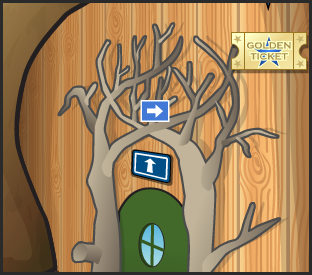
The Golden ticket Sign on the top right corner has also been removed. Yet, for some odd reason we can still collect tickets! This is a picture I took which clearly shows that Zing has left yet I still picked up a ticket.


Is this a glitch? Or did Pandanda just forget to remove the Golden Tickets?
What do you think? Tell me your views about this by commenting on this post =]

- AltoBhai, Pandanda Cheats ™ Vice President -

Pandanda Nubbing Glitch!


We've received many comments informing us about a Glitch that was recently discovered on Pandanda, the Walking under the Chat bar Glitch A.K.A The nubbing being pandas glitch A.K.A The Nubbing Glitch A.K.A The Nubbin' Glitch ;-)

You can "Nub" behind the Chat Bar OR you can nub behind a Special Panda on Pandanda.

Read my step-by-step tutorial to help with the glitch.

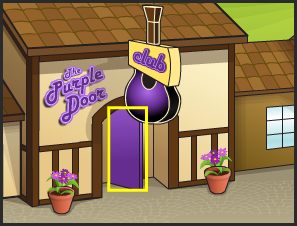
1. Go to a room with a Door in it (Treehouse Lobby, Den, East Market Street, West Market Street, Bear Hollow)
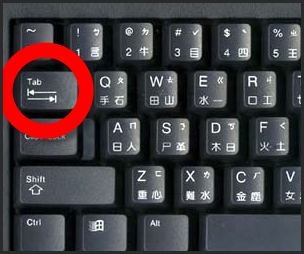
2. Click "TAB" on your keyboard.


3. Click Tab until a yellow box is over the door.


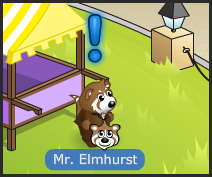
4. Put your cursor over a Panda (If you want to nub behind a panda) or the chat bar (If you want to nub under the chat bar).


5. Make sure the yellow box is over the door AND the cursor is where you like at the same time.
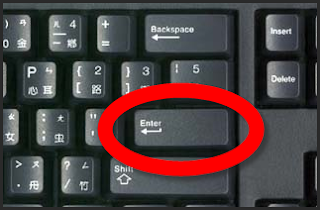
6. After completing number 5 click "ENTER" on your keyboard.


Your panda will walk over to the place where your cursor was, and you will be officially Nubbing!

When nubbing behind the chat bar, you can move from side to side, clicking the sides of the chat bar, and other places on the chat bar.

When you nubbing behind a Panda, you can talk and it will look like the Panda's Talking!

Here is what it looks like when I nub:


I think this is one of the coolest Glitches, I hope Pandanda doesn't fix it! Visit my Cheats & Glitches page for more Cheats & Glitches!

~Lime12101 Pandanda Cheats President

PS: Alto is on vacation and he will be back on Tuesday (July 21st)

Ultimate Walking on walls glitch!


UPDATE: PANDANDA HAS FIXED THIS GLITCH! :-(

Okay, For months now PDC has gotten a ton of email's with pictures of panda's on walls. We have proven that those pictures are glitches. The Panda's that are on the walls don't know that they are there.

After that, we got more emails with panda's actually showing off that they got on walls, we found out those were Hackers.

But today, I found this awesomely cool Walk on Walls Glitch that everybody can do, and you know when your doing it! It's really sweet! Listen carefully to my step-by-step tutorials:

VIDEO TUTORIAL:

PICTURE TUTORIAL:

1. Open your map and go to the Pawthorne Forest.
2. Go into the Den in the forest.
3. Walk to the bottom-right corner of the room.


4. Click on the door or above the door (Make sure the arrow cursor is on).


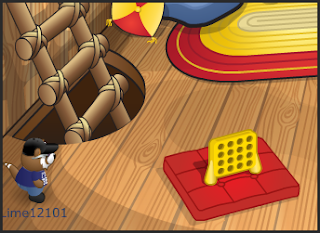
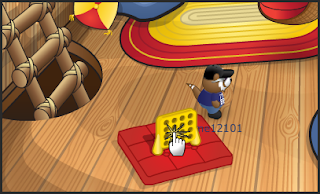
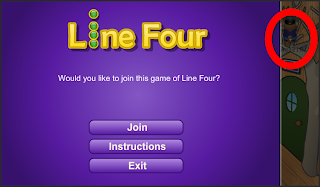
5. While your walking towards the door, click the Line Four game.


6. Keep the Purple Line Four menu up until you see you Panda on the wall to the left.


7. When you see your panda on the left, close the Line Four menu.

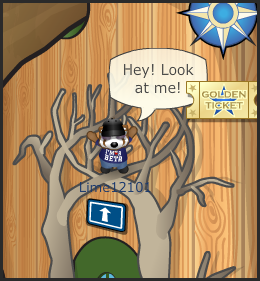
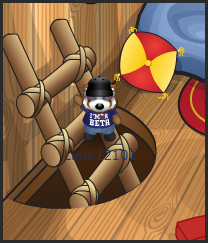
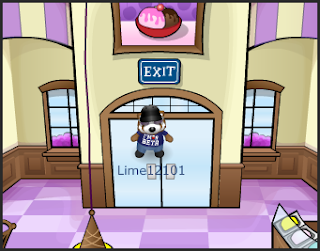
TA-DAA! Now you will be on the wall, You can sit, dance, talk, jump, and almost every thing else on the wall! It's really cool!


Also, you can do this on the other side of the Den, on the ladder.


And, You can do it at the Big Scoop on the door!


I think this is one of the coolest Pandanda glitches! WAY cooler then the one I posted yesterday, right guys? What do you think of the glitch?

If you have any questions, comment.

~Lime12101 Pandanda Cheats President

Duplicating Furniture Glitch!


UPDATE: Pandanda has just fixed this glitch! :-(

Hey Guys!

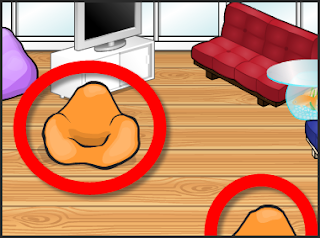
I just found this sweet glitch on Pandanda, that you can have two of one piece of furniture!

Video Tutorial:


Picture Tutorial:

1. Go to your Treehouse.
2.Click "Edit Mode".


3. Left click on a piece of furniture.


4. Right click on the piece you clicked.


5. Click the "x" on the exit edit mode bar.


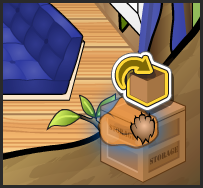
6. The item will appear at the bottom of your Treehouse.


7. Open edit mode again.
8. Click on your inventory, the duplicate item should drop in the box when you click.


9. Find the item in your inventory and take out.


10. Once you take the item out, there will be two in your Treehouse!


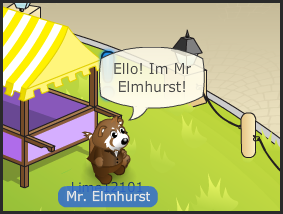
This is really cool! Sadly, when you log off the duplicate goes away. I tried to sell the duplicate but Mr.Elmhurst didn't give me any money!! I think this would be good if you were having a party and you needed extra furniture. The chances of getting banned is very low.


Pandanda Cheats™ will not be held responsible if you get banned while doing this cheat.

Cool! Don't ya think so? Comment your thoughts!

~Lime12101 Pandanda Cheats president